Tampilkan postingan dengan label Core java Interview Questions. Tampilkan semua postingan

Minggu, 19 Juni 2016

Java XML parsing using DOM parser

Employees.xml:

Java XML parsing tutorial example code


Employee.java


  1. package javaXMLParsing;
  2. public class Employee {
  3.     
  4.     String id;
  5.       String firstName;
  6.       String lastName;
  7.       String location;
  8.      
  9.       @Override
  10.       public String toString() {
  11.         return firstName+" "+lastName+"("+id+")"+location;
  12.       }
  13.  
  14. }

Java Example program to parse XML using DOM parser:

DOMParserDemo.java


  1. package javaXMLParsing;
  2. import java.util.ArrayList;
  3. import java.util.List;
  4.  
  5. import javax.xml.parsers.DocumentBuilder;
  6. import javax.xml.parsers.DocumentBuilderFactory;
  7.  
  8. import org.w3c.dom.Document;
  9. import org.w3c.dom.Element;
  10. import org.w3c.dom.Node;
  11. import org.w3c.dom.NodeList;
  12.  
  13. public class DOMParserDemo {
  14.  
  15.  public static void main(String[] args) throws Exception {
  16.         //Create object of DOM Builder Factory  class By using
  17.        //DocumentBuilderFactory.newInstance() method

  18.         DocumentBuilderFactory factoryobj =
  19.             DocumentBuilderFactory.newInstance();
  20.      
  21.         //Create DOM Builder Object from DocumentBuilderFactory object
  22.         DocumentBuilder builder = factoryobj.newDocumentBuilder();
  23.      
  24.         //Load the XML document and parse it
  25.        
  26.         Document documentobj =
  27.           builder.parse(
  28.             ClassLoader.getSystemResourceAsStream("javaXMLParsing/Employee.xml"));
  29.      
  30.      
  31.         List<Employee> empList = new ArrayList<>();
  32.      
  33.         //Iterating through the nodes and extracting the data.
  34.         NodeList nodeList = documentobj.getDocumentElement().getChildNodes();
  35.      
  36.         for (int i = 0; i < nodeList.getLength(); i++) {
  37.      
  38.           //We have encountered an <employee> tag.
  39.  
  40.           Node node = nodeList.item(i);
  41.           if (node instanceof Element) {
  42.             Employee emp = new Employee();
  43.             emp.id = node.getAttributes().
  44.                 getNamedItem("id").getNodeValue();
  45.      
  46.    NodeList childNodes = node.getChildNodes();
  47.    for (int j = 0; j < childNodes.getLength(); j++) {
  48.        Node cNode = childNodes.item(j);
  49.      
  50.       //Identifying the child tag of employee every employee .
  51.       if (cNode instanceof Element) {
  52.        String content = cNode.getLastChild().
  53.                     getTextContent().trim();
  54.                 switch (cNode.getNodeName()) {
  55.                   case "firstName":
  56.                     emp.firstName = content;
  57.                     break;
  58.                   case "lastName":
  59.                     emp.lastName = content;
  60.                     break;
  61.                   case "location":
  62.                     emp.location = content;
  63.                     break;
  64.   }
  65.   }
  66.  }
  67.             empList.add(emp);
  68. }

  69. }
  70.      
  71.        //Printing the Employee list by using for each loop.
  72.  for (Employee emp : empList) {
  73.           System.out.println(emp);
  74.  }
  75.      
  76.  }
  77.  
  78. }


Output:


  1. saidesh kilaru(001)Bangalore 
  2. ajay chanukya(002)Chicago 
  3. Vinod Gandrakoti(003)Hyderabad
Baca selengkapnya

Sabtu, 18 Juni 2016

Difference between Collections and Collection in java with example program

  • Famous java interview question: difference between collections and collection in java
  • Major difference between Collection and Collections is Collection is an interface and Collections is a class. 
  • Both are belongs to java.util package
  • Collection is base interface for list set and queue.
  • Collections is a class and it is called utility class.
  • Collections utility class contains some predefined methods so that we can use while working with Collection type of classes(treeset, arraylist, linkedlist etc.)
  • Collection is base interface for List , Set and Queue.


Collection vs Collections

  1. public interface Collection<E> 
  2. extends Iterable<E>


  1. public class Collections
  2. extends Object


difference between collections and collection in java

  • Collections utility class contains static utility methods so that we can use those methods by using class name without creating object of Collections class object
  • Lest see some methods of Collections class.


  1. addAll: public static <T> boolean addAll(Collection<? super T> c,T... elements)
  2. reverseOrder: public static <T> Comparator<T> reverseOrder()
  3. shuffle: public static void shuffle(List<?> list)
  4. sort:public static <T extends Comparable<? super T>> void sort(List<T> list)
How to Relate Collection and Collections
    • ArrayList is a Collection type of class means it is implementing Collection interface internally
    • Now lets see a java example program to sort ArrayList of elements using Collections.sort() method.

    1. public class ArrayList<E>
    2. extends AbstractList<E>
    3. implements List<E>, RandomAccess, Cloneable, Serializable


    1.Basic Java example program to sort arraylist of integers using Collections.sort() method

    1. package com.javasortarraylistofobjects;
    2.  
    3. import java.util.ArrayList;
    4. import java.util.Collections;
    5. import java.util.Iterator;
    6.  
    7. public class SortArrayListExample{
    8.  
    9. public static void main(String[] args) {
    10.   
    11. //create an ArrayList object
    12.  ArrayList<Integer> arrayList = new ArrayList<Integer>();
    13.        
    14.  //Add elements to Arraylist
    15. arrayList.add(10);
    16. arrayList.add(7);
    17. arrayList.add(11);
    18. arrayList.add(4);
    19. arrayList.add(9);
    20. arrayList.add(6);
    21. arrayList.add(2);
    22. arrayList.add(8);
    23. arrayList.add(5);
    24. arrayList.add(1);
    25.         
    26.         
    27.  System.out.println("Before sorting ArrayList ...");
    28.  Iterator itr=arrayList.iterator();
    29.         
    30. while (itr.hasNext()) {
    31.  
    32. System.out.println(itr.next());
    33.      
    34. }
    35.  
    36.        
    37.  /*
    38.  To sort an ArrayList object, use Collection.sort method. This is a
    39.   static method. It sorts an ArrayList object's elements into ascending order.
    40. */
    41.   Collections.sort(arrayList);
    42.      
    43.   System.out.println("After sorting ArrayList ...");
    44.        
    45.     
    46.         
    47. Iterator itr1=arrayList.iterator();
    48.         
    49. while (itr1.hasNext()) {

    50. System.out.println(itr1.next());
    51.             
    52. }
    53.     
    54.   
    55. }
    56. }


    Output:

    1. Before sorting ArrayList ...
    2. 10
    3. 7
    4. 11
    5. 4
    6. 9
    7. 6
    8. 2
    9. 8
    10. 5
    11. 1
    12. After sorting ArrayList ...
    13. 1
    14. 2
    15. 4
    16. 5
    17. 6
    18. 7
    19. 8
    20. 9
    21. 10
    22. 11

    Baca selengkapnya

    Java Program to find missing numbers in an array

    • To find missing numbers in an array first we need to make sure that array is sorted.
    • After sorting we need to check that array each element with next element then we can find the difference.
    • if Array is not sorted :To sort array use Arrays.sort(array);
    • If difference is 1 then no need to do any thing because numbers are in order.
    • If difference is not equal to 1 then we need to print all those numbers or pick those numbers and place it in one array.
    • this would be the logic to find missing numbers in an array
    • Here there may be a chance of array not starts with 1 then we need to check first itself whether array starts with 1 or not if not we need to print 1 to starting element of array.
    • for example int a[]={4,5,6,8}; then we need to print 1 2 3  7.


     Lets see a java example program to find missing numbers in an array.

    1. package arraysInterviewQuestions;
    2. public class PrintMissingNumbers {
    3.  
    4. private static void findMissingNumber(int[] number){
    5.  
    6.         // take max length as last number in array
    7.     int k[] = new int[number[number.length-1]];
    8.         
    9.   int m=0;
    10.  
    11.   if(number[0]!=1){
    12.    for (int x = 1; x < number[0]; x++) {
    13.        k[m] =  x;
    14.        m++;
    15.        }
    16.   }
    17.         
    18.  for (int i = 0; i < number.length -1; i++) {
    19.     
    20.     int j = i+1;
    21.     int difference = number[j] - number[i] ;
    22.             
    23.             
    24.    if(difference != 1 ){
    25.         
    26.   for (int x = 1; x < difference; x++) {
    27.  
    28.           k[m] = number[i] + x;
    29.            m++;
    30.     
    31. }
    32.             
    33.  }
    34.  }
    35.         
    36. System.out.println("missing numbers in array ::");
    37.         
    38. for (int l = 0; l < m ; l++) {
    39.     System.out.println( k[l]+" ");
    40. }
    41. }
    42.  public static void main(String[] args) {
    43.         
    44.    int a[]= {2,4,6,9,10,20};
    45.  
    46.    //if Array is not sorted :To sort array use Arrays.sort(a); 
    47.  
    48.   findMissingNumber(a);
    49.  
    50.    
    51. }
    52. }
     
    program to find missing number in an array in java


    • Change the array in main method and practice try to find missing elements in an array that contains 1 to 100 numbers.
    Baca selengkapnya

    Jumat, 17 Juni 2016

    Dynamic polymorphism in java with example program

    • Polymorphism means defining multiple methods with same name.

    • Two types of polymorphism
      1.Static polymorphism
      2.Dynamic polymorphism.

    Static polymorphism:

    • Defining multiple methods with same name and with different type of arguments is known as static polymorphism.
    • We can achieve this static polymorphism using method overloading.
    Static polymorphism in java with example program

    1. package com.instanceofjava;
    2. class A{
    3.  
    4. public void show(int a){
    5. System.out.println("saidesh");
    6. }
    7.  
    8. public void show(int a,int b){
    9. System.out.println("ajay");
    10. }
    11.  
    12. public void show(float a){
    13. System.out.println("vinod");
    14. }
    15. public static void main(String args[]){
    16.  
    17. A a=new A();
    18.  
    19. a.show(10);
    20. a.show(1,2);
    21. a.show(1.2);
    22.  
    23. }
    24. }
    Output:

    1. saidesh
    2. ajay
    3. vinod


    Dynamic polymorphism:

    • Defining multiple methods with same name and with same signature in super class and sub class.
    • We can achieve dynamic polymorphism by using method overriding concept in java.
    • Define a method in super class and override same method with same signature in sub class
    • Whenever we call the method on t the object based on the object corresponding class method will be executed dynamically.
    Java example program on dynamic polymorphism: (Real time example)

    1. package MethodOverridingExamplePrograms;
    2. public class Vehicle{
    3.  
    4. void Start(){ 
    5. System.out.println("Vehicle started")
    6. }

    7. }


    1. package MethodOverridingExamplePrograms;
    2. public class Car extends Vehicle{
    3.  
    4. void Start(){ 
    5. System.out.println("Car started")
    6. }

    7. }


    1. package MethodOverridingExamplePrograms;
    2. public class Bus extends Vehicle{
    3.  
    4. void Start(){ 
    5. System.out.println("Bus started")
    6. }

    7. }


    1. package MethodOverridingExamplePrograms;
    2. public class Bike extends Vehicle{
    3.  
    4. void Start(){ 
    5. System.out.println("Bike started")
    6. }

    7. }


    1. package MethodOverridingExamplePrograms;
    2. public class Test{
    3.  
    4. public static void startVehicle(Vehicle vh){ 
    5.    
    6. vh.start();


    7.  
    8. }

    9. }

    Dynamic polymorphism in java with example program


    •  In the above example based on the object creation at run time corresponding class method will be executed.
    Baca selengkapnya

    Jumat, 10 Juni 2016

    toString() method in java with example program

    • toString() method belongs to object class.
    • By default it will be called once  whenever we try to print object.
    • toString() method by default will print classname@hex representation of hashcode.
    • We can override this toString() method from object class.


    1. public String toString(){
    2.  
    3.    return null;
    4.        
    5. }

      Advantage of toString() method in java.

      • When ever we try to print object by default toString() method will be called and print classname@HEX_hashcode.
      • We can represent object in String format using toString() method.
      • if we want to represent string representation of object then we need to override toString() method in our class and return values of the object as a String.


       Java example program to print object without using toString() method.
      • Lets see an example program on printing object of a class.

      1. package tostringexamples;
      2. public class ToStringDemo {
      3.  
      4.     int a,b;
      5.  
      6. ToStringDemo(int x, int y){
      7.         a=x;
      8.         b=y;
      9.  }
      10.  
      11. public static void main(String[] args) {
      12.  
      13.  ToStringDemo obj= new ToStringDemo(1,2);
      14.         
      15.  ToStringDemo obj2= new ToStringDemo(3,4);
      16.         
      17.     System.out.println(obj);
      18.     System.out.println(obj2);
      19.  
      20.  }
      21.  
      22. }


      Output:


      1. tostringexamples.ToStringDemo@2a139a55
      2. tostringexamples.ToStringDemo@15db9742

      •  In the above program when we print object of ToStringDemo class it prints ToStringDemo@2a139a55.
      • It means when ever we print object of the class toString() method will be called and by default toString() method print classname@HEX_hashcode.
      • To test this now we will override the toString() method and prints object of the class and if it calls our method then we can understand that when ever we print object by default toString() method will be called.

       Java example program to print object by overriding toString() method.

      override tostring method in java example

      • In above example when we print object it executed overridden toString() method.
      • By overriding toString() method we can represent object in string form.


      toString() method used to convert data to String type. 

      •   By using toString method we can convert any wrapper object to string object
         
      Java example program to convert integer to string using toString() method.

      1. package tostringexamples;
      2. public class ToStringDemo {
      3.  
      4. public static void main(String[] args) {
      5.  
      6.   Integer a=12;
      7.   Integer b=37;
      8.  
      9.   String str1=a.toString();
      10.   String str2 =b.toString();
      11.         
      12.   System.out.println(str1);
      13.   System.out.println(str2);
      14.  
      15.     }
      16. }

      Output:

      1. 12
      2. 37

      Java example program to convert Float to String using toString() method.

      1. package tostringexamples;
      2. public class ToStringDemo {
      3.  
      4. public static void main(String[] args) {
      5.  
      6. Float  a=12.0f;
      7. Float b=33.4f;
      8.  
      9.   String str1=a.toString();
      10.   String str2 =b.toString();
      11.         
      12.   System.out.println(str1);
      13.   System.out.println(str2);
      14.  
      15.     }
      16. }

      Output:

      1. 12.0
      2. 33.4
      Baca selengkapnya

      Kamis, 28 April 2016

      Control statements in java with examples

      • Programs in java will be executed in sequential manner means line by line execution of statements.
      • By using control statements we can control the flow of execution.
      • We have three types of control statements in java.
      1. Decision making Statements.
      2. Iteration statements.
      3. Branching statements. 


      1.Decision making statements in java: 

      • In some cases we will have a situation like need to execution set of statements based on a condition
      • In this scenario we need to use decision making statements in java.
      1. if
      2. if-else
      3. if-else-if
      4. switch

      Simple if

      • Based on some condition if we want to execute some set of statements then we need to use if condition in java.
      • We need to keep all the required statements inside if block .
      • If the condition is true then control executes the whole block otherwise it skips the if block of statements.

      1. if( condition ){
      2. // code
      3. }

      Java example program on if control statement:

      1. package controlstatementsinjava;
      2. import java.util.Scanner;
      3.  
      4. public class ControlStatementsInjava {
      5.  
      6.     /**
      7.      * @website: www.instanceofjava.com
      8.      */
      9. public static void main(String[] args) {
      10.         
      11.   Scanner in= new Scanner(System.in);
      12.  
      13.   System.out.println("Please enter a number");
      14.   int n=in.nextInt();
      15.         
      16. if(n%2==0){
      17.    System.out.println(n+" is even number");
      18.         
      19.  }
      20.   
      21. if(n%2!=0){
      22.      System.out.println(n+" is odd number");
      23. }
      24.  
      25. }
      26. }

      Output:

      1. Please enter a number
      2. 5
      3. 5 is odd number

      If else condition:

      • If the condition is true then control executes the whole block otherwise it skips the if block of statements
      • if condition is false  if we need to execute another set of statement we can write another if and keep all the statements in that block.
      • instead of checking multiple times we can simply use else block .
      • More about in else statement in java

        1. if( condition ){
        2. // code
        3. }else{
        4. //code
        5. }

         if else control statement with example programs:

        1. package controlstatementsinjava;
        2. import java.util.Scanner;
        3.  
        4. public class ControlStatementsInjava {
        5.  
        6.     /**
        7.      * @website: www.instanceofjava.com
        8.      */
        9. public static void main(String[] args) {
        10.         
        11.   Scanner in= new Scanner(System.in);
        12.  
        13.   System.out.println("Please enter a number");
        14.   int n=in.nextInt();
        15.         
        16. if(n%2==0){
        17.    System.out.println(n+" is even number");
        18.         
        19.  }else{
        20.      System.out.println(n+" is odd number");
        21. }

        22.  
        23. }
        24. }

        Output:

        1. Please enter a number
        2. 5
        3. 5 is odd number


        if else ladder :

        • In some cases we may get requirement with multiple conditions in such cases we need to use if else ladder.(if -else-if-else if -else...)

        1. if( condition ){
        2. // code
        3. }else if{
        4. //code
        5. }else {
        6.  //code
        7. }

         if else if control statement with example programs:


        1. package controlstatementsinjava;
        2. import java.util.Scanner;
        3.  
        4. public class ControlStatementsInjava {
        5.  
        6.     /**
        7.      * @website: www.instanceofjava.com
        8.      */
        9. public static void main(String[] args) {
        10.         
        11.   Scanner in= new Scanner(System.in);
        12.  
        13.   System.out.println("Please enter your age");
        14.   int age=in.nextInt();
        15.         
        16. if(age<=18){
        17.    System.out.println("Your age is between 1-18");
        18.         
        19.  }else if ((age>=18) && (age<=35)){
        20.      System.out.println(" Your age is between 18-35");
        21. }
        22. else if ((age>=35) && (age<=50)){
        23.      System.out.println(" Your age is between 35-50");
        24. }else{
        25.  
        26.   System.out.println(" Your age is above 50");
        27.  
        28. }
        29.  
        30. }
        31. }

        Output:

        1. Please enter your age
        2. 20
        3. Your age is between 18-35

        control statements in java

        Switch statement in java:

        • Instead if writing number of if conditions we can use single switch statement


        1. switch(value)
        2.  case n1: statements;
        3. break;
        4. case n2 : statements;
        5. break;
        6. default: statements;
        7. }

        Java example program on switch statement in java:


        switch statement in java

        Baca selengkapnya

        Rabu, 27 April 2016

        Bitwise operators in java with example

        • Bitwise operators in java performs operation on bits 
        • Bitwise operators performs bit by bit operations
        • Bit-wise operators operates on individual bits of operands.


         Bit wise Operators in Java:

        1. ~      : Bit wise unary not
        2. &     : Bit wise And
        3. |       : Bit wise OR
        4. ^      : Bit wise Exclusive OR


         1.Bit wise Unary Not  ~:

        • Bit wise Unary not Inverts the bits.
        • Lets see a java program on bit wise unary not

        Java Example program on bit wise unary not operator ~:

        1. package operatorsinjava;
        2. public class BitwiseUnaryNotDemo {
        3.  
        4.     /**
        5.      * @www.instanceofjava.com
        6.      */
        7.     public static void main(String[] args) {
        8.  
        9.   int x=2;
        10.  
        11.   System.out.println(~x);
        12.         
        13.   int y= 3;
        14.  
        15.   System.out.println(~y);
        16.         
        17.   int z= 4;
        18.         
        19.   System.out.println(~z);
        20.  
        21.     }
        22.  
        23. }

        Output:


        1. -3
        2. -4
        3. -5

        bitwise unary operator in java


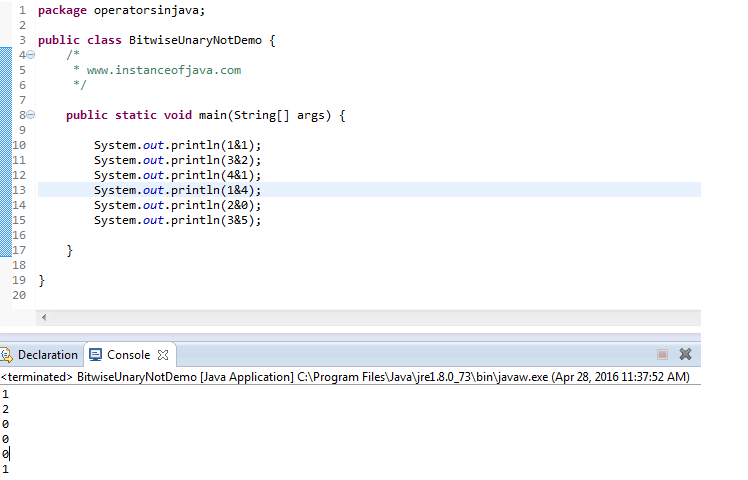
        2. Bitwise AND operator:

        • Bit wise And returns 1 if both operands position values are 1 otherwise 0.
        • Bitwise operation on two numbers
        • 1 & 2
        • 001
          010
          -----
          000 =0
          -----
        • 2 & 3
        • 010
          011
          -----
          010 =2
          -----
        Java Example program on bitwise AND operator &:


        1. package operatorsinjava;
        2. public class BitwiseAndDemo {
        3.  
        4.     /**
        5.      * @www.instanceofjava.com
        6.      */
        7. public static void main(String[] args) {

        8.    int x=1;
        9.    int y=2;
        10.         
        11.   System.out.println(x&y);
        12.         
        13.   int i=2;
        14.   int j=3;
        15.         
        16.  System.out.println(i&j);
        17.         
        18.  System.out.println(4&5);
        19.  
        20. }
        21.  
        22. }

        Output:


        1. 0
        2. 2
        3. 4
        Bitwise And operator in java Example


        3.Bitwise OR operator in Java | :

        • Bit wise OR returns 1 if  any one operands position values are 1 or both 1 s. otherwise 0.
        • 1 |2
        • 001
          010
          -----
          011 =3
          -----
        • 2 | 3
        • 010
          011
          -----
          011 =3
          -----
        Java Example program on bitwise OR operator |:

        1. package operatorsinjava;
        2. public class BitwiseORDemo {
        3.  
        4.     /**
        5.      * @www.instanceofjava.com
        6.      */
        7. public static void main(String[] args) {

        8.    int x=1;
        9.    int y=2;
        10.         
        11.   System.out.println(x|y);
        12.         
        13.   int i=2;
        14.   int j=3;
        15.         
        16.  System.out.println(i|j);
        17.         
        18.  System.out.println(4|5);
        19.  
        20. }
        21.  
        22. }

        Output:

        1. 3
        2. 3
        3. 5

        4.Bit wise Exclusive OR operator in java ^:

        • Bit wise XOR operator returns 1 if any of the operands bits position 1 
        • Java XOR operator returns 0 if both operands position is 1.
        • Lest see java Xor on 1 ^ 2
        • 1 ^ 2
        • 001
          010
          -----
          011 =3
          -----
        • Lest see java xor operation on 2 ^3
        • 2 ^ 3
        • 010
          011
          -----
          001 =1
          -----

        Java Example program on bitwise OR operator |:

        1. package operatorsinjava;
        2. public class BitwiseXORDemo {
        3.  
        4.     /**
        5.      * @www.instanceofjava.com
        6.      */
        7. public static void main(String[] args) {

        8.    int x=1;
        9.    int y=2;
        10.         
        11.   System.out.println(x^y);
        12.         
        13.   int i=2;
        14.   int j=3;
        15.         
        16.  System.out.println(i^j);
        17.         
        18.  System.out.println(4^5);
        19.  
        20. }
        21.  
        22. }

        Output:

        1. 3
        2. 1
        3. 1


        Java XOR bitwise operator

        Baca selengkapnya

        Ternary operator in java

        • Ternary operator also known as conditional operator in java.
        • Ternary operator used to evaluate boolean expression and it consists of three operands.


        Ternary operator in java syntax:

        1. variable x = (expression) ? value if true : value if false

        • Value of x will be decided based on the condition. if condition is true then it assigns first value to the variable
        • If Expression is false then it assigns second value to the variable.

        Java simple example program on ternary operator / conditional operator in java


        1. package operatorsinjava;
        2. public class TernaryOperator {
        3.  
        4.     /**
        5.      * @ www.instanceofjava.com
        6.      * 
        7.      */
        8.  public static void main(String[] args) {
        9.         
        10.  // checking condition 2>3 and if true assign 3 else 3
        11.   int x= (2>3)?3:2;
        12.         
        13.   System.out.println(x);
        14.         
        15.  // checking condition 5<4 if true assign 4 else 3
        16.  int y= (5<4)?4:3;
        17.         
        18.  System.out.println(y);
        19.  
        20. }
        21.  
        22. }
        Output:

        1. 2
        2. 3

        Ternary operator in java for boolean:

        Java simple example program on ternary operator / conditional operator for boolean

        1. package operatorsinjava;
        2. public class TernaryOperator {
        3.  
        4.     /**
        5.      * @ www.instanceofjava.com
        6.      * 
        7.      */
        8.  public static void main(String[] args) {
        9.         
        10.  
        11.  boolean x= true ? true: false;
        12.         
        13.  System.out.println(x);
        14.         
        15.  boolean y= false ? true : false;
        16.             
        17.  System.out.println(y);
        18.         
        19.  boolean z= false ? false : true;
        20.         
        21.  System.out.println(z);
        22.  
        23. }
        24.  
        25. }
        Output:

        1. true
        2. false
        3. true

        Ternary operator in java for Strings:

        Java simple example program on ternary operator / conditional operator for String

        1. package operatorsinjava;
        2. public class TernaryOperatorForStrings{
        3.  
        4.     /**
        5.      * @ www.instanceofjava.com
        6.      * 
        7.      */
        8. public static void main(String[] args) {
        9.         
        10.  String str= "java".equals("java") ? "Java Questions" : "Java Programs";
        11.         
        12.  System.out.println(str);
        13.         
        14.  String str1= (1==3)? "its true" : "its false";
        15.         
        16.  System.out.println(str1);
        17.        
        18. }
        19.  
        20. }
        Output:

        1. Java Questions
        2. its false

        Ternary operator in java for null;

        Java simple example program on ternary operator / conditional operator for null check

        1. package operatorsinjava;
        2. public class TernaryOperatorForStrings{
        3.  
        4.     /**
        5.      * @ www.instanceofjava.com
        6.      * 
        7.      */
        8. public static void main(String[] args) {
        9.         
        10. String str= null;
        11.  
        12. String str1= (str==null) ? "its true" : "its false";
        13.  
        14. System.out.println(str1);
        15.         
        16. String str2= (str1!=null) ? "its true" : "its false";
        17.  
        18. System.out.println(str2);

        19. }
        20.  
        21. }
        Output:

        1. its true
        2. its true

        ternary operator in java


          Baca selengkapnya

          Selasa, 19 April 2016

          Enum in java part 2

          Enum in java part 2

          3. Enum Iteration in for-each loop:


          • You can obtain an array of all the possible values of a Java enum type by calling its static values() method. 
          • All enum types get a static values() method automatically by the Java compiler. Here is an example of iterating all values of an enum:
           
          1. for (Day day : Day.values()) {
          2.     System.out.println(day);
          3. }

          • If you run this code, then you will get the following output:


          1. SUNDAY
          2. MONDAY
          3. TUESDAY
          4. WEDNESDAY
          5. THURSDAY
          6. FRIDAY
          7. SATURDAY


          4.    Enum fields:


          • It is possible to add fields to Java Enum. Each constant enum value gets these fields. The field values must be supplied to the constructor of the enum when defining the constants. 
          • Here is an example:

          1. public enum Day {
          2.     SUNDAY(1), MONDAY(2), TUESDAY(3), WEDNESDAY(4), THURSDAY(5),
          3. FRIDAY(6), SATURDAY(7); 
          4.  
          5.     private final int dayCode;
          6.     private Day(int dayCode) {
          7.         this.dayCode = dayCode;
          8.     }
          9.  
          10. }
          • The example above has a constructor which takes an int. The enum constructor sets the int field. When the constant enum values are defined, an int value is passed to the enum constructor.
          • The enum constructor must be either private or package scope (default). You cannot use public or protected constructors for a Java enum.

          5. Enum Methods:

          • It is possible to add methods to Java Enum. Here I am showing an example that how to do it.

          1. public enum Day {
          2.  
          3.     SUNDAY(1), MONDAY(2), TUESDAY(3), WEDNESDAY(4), THURSDAY(5),
          4. FRIDAY(6), SATURDAY(7); 
          5.  
          6.     private final int dayCode;
          7.  
          8.     private Day(int dayCode) {
          9.         this.dayCode = dayCode;    
          10.      }
          11.     public int getDayCode() {
          12.         return this.dayCode;
          13.     }
          14.     
          15. }

          • It is possible to call an Enum method through a reference to one of the constant values. The following code will show you how to call Java Enum method.
          • Day day = Day.MONDAY;
          • System.out.println(day.getDayCode()); //which gives 2.Because the dayCode field for the Enum constant MONDAY is 2.
           Some details to know about enum:

          • Java enums extend the java.lang.Enum class implicitly, so your enum types cannot extend another class. Please refer the following code. This code is from Java API.
          1. public abstract class Enum<E extends Enum<E>> implements Comparable<E>,Serializable {
          2. // Enum class code in Java API
          3. }
          • If a Java enum contains fields and methods, the definition of fields and methods must always come after the list of constants in the enum. Additionally, the list of enum constants must be terminated by a semicolon;
          • Java does not support multiple inheritance, and enum also does not support for multiple inheritance.
          • Enums are type-safe. Enum has their own name-space. It means your enum will have a type for example “Day” in below example and you cannot assign any value other than specified in Enum Constants.
          • Enum constants are implicitly static and final and cannot be changed once created.
          • Enum can be safely compare using:
          • Switch-Case Statement
          • == Operator
          • .equals() method
          • You cannot create instance of enums by using new operator in Java because constructor of Enum in Java can only be private and Enums constants can only be created inside Enums itself.
          • Instance of Enum in Java is created when any Enum constants are first called or referenced in code
          •  An enum can be declared outside or inside a class, but NOT in a method.
          • An enum declared outside a class must NOT be marked static, final , abstract, protected , or private
          • Enums can contain constructors, methods, variables, and constant class bodies.
          • Enum constructors can have arguments, and can be overloaded.
          • Enum constructors can have arguments, and can be overloaded.
          • The constructor for an enum type must be package-private or private access. It automatically creates the constants that are defined at the beginning of the enum body. You cannot invoke an enum constructor yourself

          1. package com.enum.exampleprogram;
          2.  
          3.  /**This is an Enum which indicates possible days in a week **/ 
          4.  
          5. public enum Day {
          6.     SUNDAY, MONDAY, TUESDAY, WEDNESDAY,THURSDAY, FRIDAY, SATURDAY;
          7. }


          1. package com.pamu.test;
          2. /** This class is an example of Enum  **/
          3. public class EnumTest {
          4.     Day day;
          5.     public EnumTest(Day day) {
          6.         this.day = day;
          7.     }
          8. //method to get descriptions of the respected days in a switch-statement.
          9.  
          10.  public void getDayDescription() {
          11.  
          12.  switch (day) {
          13.    case MONDAY:
          14.                System.out.println("Monday is First day in a week.");
          15.                 break;      
          16.   case FRIDAY:
          17.                 System.out.println("Friday is a partial working day.");
          18.                 break;        
          19.   case SATURDAY: 
          20.                 System.out.println("Saturday is a Weekend.");
          21.                 break;
          22.  case SUNDAY:
          23.                 System.out.println("Sunday is a Weekend.");
          24.                 break;               
          25.   default:
          26.                 System.out.println("Midweek days are working days.");
          27.                 break;
          28.         }
          29.     }
          30.     public static void main(String[] args) {
          31.  
          32.         EnumTest day1 = new EnumTest(Day.MONDAY);
          33.         day1.getDayDescription();
          34.  
          35.         EnumTest day2 = new EnumTest(Day.TUESDAY);
          36.         day2.getDayDescription();
          37.  
          38.         EnumTest day3 = new EnumTest(Day.WEDNESDAY);
          39.         day3.getDayDescription();
          40.  
          41.         EnumTest day5 = new EnumTest(Day.FRIDAY);
          42.         day5.getDayDescription();
          43.  
          44.         EnumTest day6 = new EnumTest(Day.SATURDAY);
          45.         day6.getDayDescription();
          46.  
          47.         EnumTest day7 = new EnumTest(Day.SUNDAY);
          48.         day7.getDayDescription();
          49.  
          50.     }
          51. }

          Output:

          1. Monday is First day in a week.
          2. Midweek days are working days.
          3. Midweek days are working days.
          4. Friday is a partial working day.
          5. Saturday is a Weekend.
          6. Sunday is a Weekend.
          Baca selengkapnya

          Enum in java Example

          Java Enum:
          • In this tutorial I will explain what is enum, how to use enum in different areas of a Java program and an example program on it.


          • An Enum type is a special data type which is added in Java 1.5 version. It is an abstract class in Java API which implements Cloneable and Serializable interfaces. It is used to define collection of constants. When you need a predefined list of values which do not represent some kind of numeric or textual data, at this moment, you have to use an enum.
          • Common examples include days of week (values of SUNDAY, MONDAY, TUESDAY, WEDNESDAY, THURSDAY, FRIDAY, and SATURDAY), directions, and months in a year. Etc.
          • You can declare simple Java enum type with a syntax that is similar to the Java class declaration syntax. Let’s look at several short Java enum examples to get you started.

          Enum declaration Example 1:

          1. public enum Day {
          2.  SUNDAY, MONDAY, TUESDAY, WEDNESDAY, THURSDAY, FRIDAY, SATURDAY 
          3. }


          Enum declaration Example 2:

          1.  public enum Month{
          2. JANUARY, FEBRUARY, MARCH, APRIL, MAY, JUNE, JULY, AUGUST, SEPTEMBER,
          3. OCTOBER, NOVEMBER, DECEMBER
          4. }

          • Enums are constants; they are by default static and final. That’s why the names of an enum type's fields are in uppercase letters.
          • Make a note that the enum keyword which is used in place of class or interface. The Java enum keyword signals to the Java compiler that this type definition is an enum.
            You can refer to the constants in the enum above like this:
          •  
          1. Day day = Day.MONDAY;


          • Here the ‘day’ variable is of the type ‘Day’ which is the Java enum type defined in the example above. The ‘day’ variable can take one of the ‘Day’ enum constants as value (SUNDAY, MONDAY, TUESDAY, WEDNESDAY, THURSDAY, FRIDAY, SATURDAY). In this case ‘day’ is set to MONDAY.
          • If you use enum instead of integers or String codes, you increase compile-time checking and avoid errors from passing in invalid constants, and you document which values are legal to use.
          • How to use a Java enum type in various areas in a Java Program:
          • We have seen how to declare simple Java enum types, let’s take a look at how to use them in various areas. We have to use a Java enum type in a variety of situations, including in a Java 5 for loop, in a switch statement, in an if/else statement, and more. For simple, Enum comparison, there are 3 ways to do it. They are, Switch-Case Statement, == Operator, .equals() method. Like that there are other places where you have to use Enum.
          • Let's take a look at how to use our simple enum types with each of these Java constructs.
          1. Enum in IF statement
          2. Enum in Switch statement
          3. Enum Iteration in for-each loop 
          4. Enum Fields 
          5. Enum Methods

            1. Enum in IF statements:


            • We know Java Enums are constants. Sometimes, we have a requirement to compare a variable of Enum constant against the possible other constants in the Enum type. At this moment, we have to use IF statement as follows.
            • Day day = ----- //assign some Day constants to it.
               
            1. If(day ==Day.MONDAY){
            2. ….//your code
            3. } else if (day == Day.TUESDAY){
            4. ….//your code
            5. } else if (day == Day.WEDNESDAY){
            6. ….//your code
            7. } else if (day == Day. THURSDAY){
            8. ….//your code
            9. } else if (day == Day.FRIDAY){
            10. ….//your code
            11. } else if (day == Day.SATURDAY){
            12. ….//your code
            13. } else if (day == Day.SUNDAY){
            14. ….//your code
            15. }

            • Here, you can use “.equals()” instead of “==”. But, my preference is to use “==” because, it will never throws NullPointerException, safer at compile-time, runtime and faster.
            • The code snippet compares the ‘day’ variable against each of the possible other Enum constants in the ‘Day’ Enum.

            2. Enums in Switch Statements:


            • Just assume that your Enum have lot of constants and you need to check a variable against the other values in Enum. For a small Enum IF Statement will be OK. If you use same IF statement for lot of Enum constants then our program will be increased and it is not a standard way to write a Java program. At this Situation, use Switch Statement instead of IF statement.
            • You can use enums in switch statements as follows:
            • Day day = ...  //assign some Day constant to it

            1. switch (day) { 
            2.     
            3. case SUNDAY   : //your code; break; 
            4. case MONDAY //your code; break;
            5. case TUESDAY    : //your code; break;     
            6. case WEDNESDAY    : //your code; break;
            7. case THURSDAY: //your code; break;
            8. case FRIDAY    : //your code; break;
            9. case SATURDAY    : //your code; break;
            10.  
            11. }

            • Here, give your code in the comments, “//your code”. The code should be a simple Java operation or a method call..etc 

            Enum in java

              3.Enum Iteration in for-each loop
              4.Enum Fields
              5.Enum Methods

              Please click here  Enum in java part 2
              Baca selengkapnya

              Unreachable Blocks in java

              Unreachable Catch Blocks:

              • The block of statements to which the control would never reach under any case can be called as unreachable blocks.
              • Unreachable blocks are not supported by java.
              • Thus catch block mentioned with the reference of  "Exception" class should and must be always last catch block. Because Exception is super class of all exceptions.


              Program:


              1. package com.instanceofjava;
              2. public class ExcpetionDemo {
              3. public static void main(String agrs[])
              4. {
              5.  
              6. try
              7. {
              8. //statements
              9. }
              10. catch(Exception e)
              11. {
              12. System.out.println(e);
              13. }
              14. catch(ArithmeticException e)//unreachable block.. not supported by java. leads to error
              15. System.out.println(e);
              16. }
              17. }

              \Java Example program on unreachable catch block


              Unreachable blocks in jaba


              1. package com.instanceofjava;
              2. public class ExcpetionDemo {
              3. public static void main(String agrs[])
              4. {
              5.  
              6. try {
              7.            
              8.  System.out.println("Excpetion handling interview questions Java unreachable block");
              9.             
              10. } catch (IllegalThreadStateException e) {
              11.           e.printStackTrace();
              12. }catch (IllegalArgumentException e) {
              13.             e.printStackTrace();
              14. }catch (Exception e) {
              15.         e.printStackTrace();
              16.  }
              17.    
              18. }
              19. }

              Output:

              1. Excpetion handling interview questions Java unreachable block

              1. package com.instanceofjava;
              2. public class ExcpetionDemo {
              3. public static void main(String agrs[])
              4. {
              5.  
              6. try {
              7.            
              8.  System.out.println("Excpetion handling interview questions Java unreachable block");
              9.             
              10. }
              11. catch (Exception e) { 
              12.         e.printStackTrace();
              13.  }catch (IllegalThreadStateException e) {//Error: Unreachable catch block for
              14.  //IllegalThreadStateException. It is already handled by the catch block for Exception
              15.           e.printStackTrace();
              16. }catch (IllegalArgumentException e) {
              17.             e.printStackTrace();
              18. }
              19.    
              20. }
              21. }

              Baca selengkapnya

              Selasa, 22 Maret 2016

              Basic operators in java

              Types of Operators in Java:

              1. Arithmetic Operators
              2. Bit-wise Operators
              3. Logical Operators
              4. Relational Operators 
              5. Assignment Operators
              6. Misc Operators


              Java operator precedence

              java order of operations

              Arithmetic Operators
              • Arithmetic operators are used in mathematical expressions.
              • Following are the arithmetic operators in java.
              1. +  :  Addition
              2. -   : Subtraction
              3. *  : Multiplication
              4. /   : Division
              5. % : Modulus

              Bit wise Operators:

              • Bit wise operators operates on individual bits of operands.
              • Following are the Bit-wise operators in java. 
              • Bitwise operators in java

              1. ~      : Bit wise unary not
              2. &     : Bit wise And
              3. |       : Bit wise OR
              4. ^      : Bit wise Exclusive OR
              5. >>    : Shift Right
              6. >>>  : Shift right zero fill
              7. <<    :Shift left

              Logical Operators:

              1. && : Logical AND
              2. ||      : Logical OR
              3. !      : Logical NOT

              Relational Operators in java

              1. ==  : Equal to
              2. !=   : Not Equal to
              3. <    : Less Than
              4. >    : Greater Than
              5. >=  : Greater Than or Equal to
              6. <= : Less Than or Equal to

              Assignment Operators:

              1. =    : Simple Assignment
              2. +=  : Add and assign
              3. -=   : Subtract and assign
              4. *=   : Multiply and assign
              5. %=  : Modulus and assign
              6. /=    : Divide and assign
              7. &=   : Bit wise AND assignment
              8. |=     : Bit wise assignment OR
              9. ^=    : Bit wise Exclusive OR assignment
              10. >>= : Shift Right assignment
              11. >>>= : Shift right  zero fill assignment
              12. <<=   : Shift left assignment


              Misc Operators:

              Increment and Decrement operators:
              1. ++ : increment
              2. --   : decrement


              Conditional Operator: (?:)

              • Also known as ternary operator
              • Example: int a= 1>2?1:2;

              Ternary operator in java


              Instanceof Operator
              • Instance of operator is used to test whether that object is belong to that class type or not.
              • If that object belongs to that class it returns true .otherwise it returns false.
              • Instance of operator is also known as comparison operator.because it compares with the instance of type.
              Instanceof operator in java
              Baca selengkapnya

              Senin, 21 Maret 2016

              Java Example program convert Decimal to Binary


                • We can convert binary to decimal in three ways
                  1.Using Integer.toBinaryString(int num);
                  2.Using Stack
                  3.Using Custom logic 


                1.Write a Java Program to convert decimal to binary in java using Integer.toBinaryString(int num)

                1. import java.util.Scanner;
                2. public class ConvertDecimalToBinary{
                3.  
                4.     /**
                5.      *www.instanceofjava.com
                6.      */
                7.  
                8.  public static void main(String[] args) {
                9.         
                10.  System.out.println("\nBinary representation of 1: ");
                11.  System.out.println(Integer.toBinaryString(1));
                12.  System.out.println("\nBinary representation of 4: ");
                13.  System.out.println(Integer.toBinaryString(4));
                14.  System.out.println("Binary representation of 10: ");
                15.  System.out.println(Integer.toBinaryString(10));
                16.  System.out.println("\nBinary representation of 12: ");
                17.  System.out.println(Integer.toBinaryString(12));
                18.  System.out.println("\nBinary representation of 120: ");
                19.  System.out.println(Integer.toBinaryString(120));
                20.  System.out.println("\nBinary representation of 500: ");
                21.  System.out.println(Integer.toBinaryString(500));

                22. }
                23.  
                24. }


                Output:

                1. Binary representation of 1: 
                2. 1
                3. Binary representation of 4: 
                4. 100
                5. Binary representation of 10: 
                6. 1010
                7. Binary representation of 12: 
                8. 1100
                9. Binary representation of 120: 
                10. 1111000
                11. Binary representation of 500: 
                12. 111110100

                2.Write a Java Program to convert decimal to binary in java


                1. import java.util.Scanner;
                2. import java.util.Stack;
                3. public class ConvertDecimalToBinary{
                4.  
                5.     /**
                6.      *www.instanceofjava.com
                7.      */
                8.  
                9.  
                10.  public static void main(String[] args) {
                11.         
                12. Scanner in = new Scanner(System.in);
                13.          
                14. // Create Stack object
                15. Stack<Integer> stack = new Stack<Integer>();
                16.      
                17. //Take  User input from keyboard
                18.  System.out.println("Enter decimal number: ");
                19.  int num = in.nextInt();
                20.     
                21. while (num != 0)
                22. {
                23.    int d = num % 2;
                24.    stack.push(d);
                25.    num /= 2;
                26.  
                27.  } 
                28.      
                29.  System.out.print("\nBinary representation is:");
                30.  
                31. while (!(stack.isEmpty() ))
                32.  {
                33.    System.out.print(stack.pop());
                34.  }
                35.         
                36.  
                37. System.out.println();
                38.  
                39. }
                40.  
                41. }
                42.  
                43. }


                Output:

                1. Enter decimal number: 
                2. 12
                3.  
                4. Binary representation is:1100

                java program convert decimal to binary


                3.Write a Java Program to convert decimal to binary in java


                1. import java.util.Scanner;
                2. public class ConvertDecimalToBinary{
                3.  
                4.     /**
                5.      *www.instanceofjava.com
                6.      */
                7.  
                8. public static void convertDeciamlToBinary(int num){
                9.  
                10.   int binary[] = new int[40];
                11.          int index = 0;
                12.  while(num > 0){
                13.            binary[index++] = num%2;
                14.            num = num/2;
                15.  }

                16. for(int i = index-1;i >= 0;i--){
                17.            System.out.print(binary[i]);
                18. }
                19.  
                20. }
                21.  
                22.  public static void main(String[] args) {
                23.         
                24. System.out.println("Binary representation of 1: ");
                25. convertDeciamlToBinary(1);
                26.  
                27. System.out.println("\nBinary representation of 4: ");
                28. convertDeciamlToBinary(4);
                29.  
                30. System.out.println("\nBinary representation of 10: ");
                31. convertDeciamlToBinary(10);
                32.  
                33. System.out.println("\nBinary representation of 12: ");
                34.  convertDeciamlToBinary(12);
                35.  
                36. }
                37.  
                38. }


                Output:

                1. Binary representation of 1: 
                2. 1
                3. Binary representation of 4: 
                4. 100
                5. Binary representation of 10: 
                6. 1010
                7. Binary representation of 12: 
                8. 1100

                You Might Like:

                Baca selengkapnya